
Best VPS Hosting in India (2026): 10 Things to Compare Before You Buy
The best VPS hosting in India is not the plan with the biggest numbers on the pricing page. It is the one that gives you real, isolated resources, a data centre close to your visitors, honest pricing in rupees and support that answers when the site is down. Before you compare providers, compare these ten things, in this order.
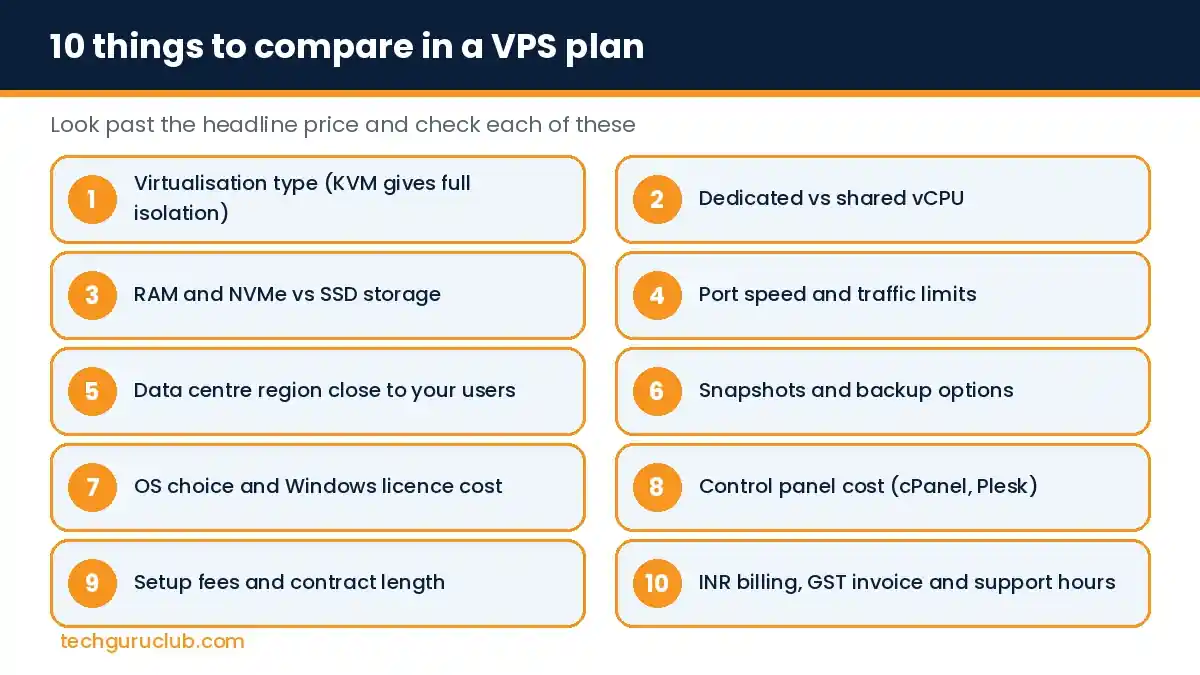
1. Virtualisation type: KVM or container
KVM (Kernel-based Virtual Machine) gives each VPS its own kernel and full isolation. Older container-based platforms such as OpenVZ share one kernel between customers and often limit what you can install. For Docker, custom kernels or Windows, you need KVM. If a provider does not say which one it uses, ask.
2. Dedicated vs shared vCPU
Most budget VPS plans use shared vCPUs, meaning your cores are time-shared with other customers on the same machine. That is fine for websites and business apps that are busy only part of the day. If you run something that uses the CPU flat out all day, such as video processing or heavy databases, look at dedicated-core plans or a dedicated server.
3. RAM and storage type
- RAM decides how many visitors, PHP workers or database queries the server handles at once. For a single WordPress business site, 4 to 8 GB is a comfortable start.
- NVMe vs SSD: NVMe is much faster than SATA SSD for databases and WooCommerce stores. Some providers offer a choice between more SSD space or less NVMe space on the same plan; pick NVMe unless you mainly store files.
4. Port speed and traffic
Port speed (for example 200 Mbit/s or 1 Gbit/s) limits how fast data leaves the server. “Unlimited traffic” almost always comes with a fair usage policy, so read it if you serve large downloads or video.
5. Data centre location
If most of your visitors are in India, a server in India keeps pages fast. A server in Europe or the US adds noticeable delay for Indian users. Global providers have started adding Indian regions; Contabo, for instance, lists India among its VPS regions. Always confirm the exact city and test the latency before you move a live site.
6. Snapshots and backups
A snapshot saves the whole server at one moment, so you can roll back after a bad update. Check how many snapshots the plan includes, whether automatic backups cost extra, and where backups are stored. Keep at least one copy outside the VPS, for example with a service like CodeGuard.
7. Operating system and Windows licence
Linux distributions such as Ubuntu, Debian, AlmaLinux and Rocky Linux are free. Windows Server is not: some providers include the licence, many charge it as a monthly add-on. If you need Windows, compare the final price with the licence included. Our guide to Windows VPS in India covers the other licences to check.
8. Control panel cost
A VPS usually comes without a control panel. cPanel and Plesk are paid add-ons and their price grows with the number of accounts. Webmin is free. If you only run one or two sites and are comfortable with the command line, you may not need a paid panel at all.
9. Setup fees and contract length
The headline price is often for a 12 or 24-month term. Monthly billing can cost more and sometimes adds a one-time setup fee. Work out the total for the term you actually plan to stay.
10. INR billing, GST invoice and support
- Billing in rupees avoids currency swings and foreign transaction charges on your card.
- A GST invoice lets your business claim input tax credit.
- Support hours and language: find out how you reach a human, how fast they reply, and whether they help with the server or only with billing.
Work out the real monthly cost
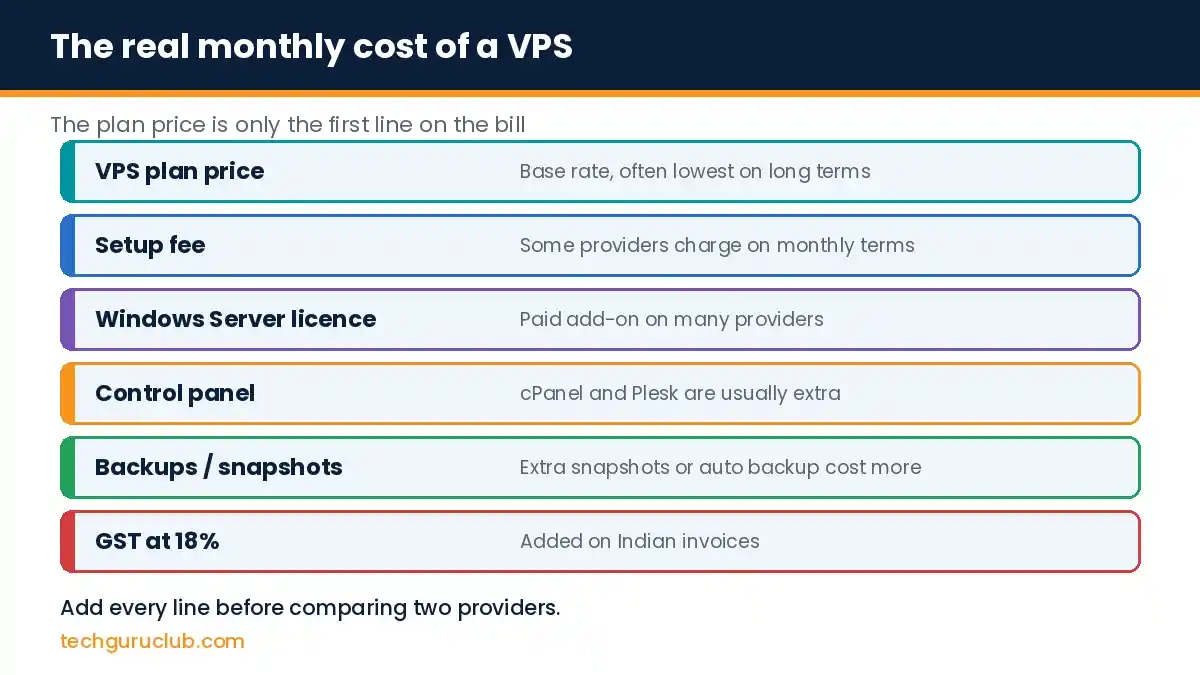
Two plans with the same price can end up very different on the bill. Add every line before you compare:
Managed or unmanaged?
An unmanaged VPS is cheaper, but you handle updates, security and backups yourself. If nobody on your team is comfortable with Linux or Windows Server administration, budget for a managed plan or an IT partner. A cheap server that nobody patches is the most expensive kind.
Best VPS hosting in India by use case
| You need | Look for |
|---|---|
| Business website or blog | 2 to 4 vCPU, 4 to 8 GB RAM, NVMe, India region |
| WooCommerce or online store | 4+ vCPU, 8+ GB RAM, NVMe, daily backups |
| Tally or office apps for a team | Windows VPS, 8+ GB RAM, licence costs checked |
| Developer projects, Docker, staging | KVM, Linux, root access, snapshots |
Frequently asked questions
Is a cheap VPS good enough for a business website?
Often yes, if it uses KVM, has NVMe storage and sits in a nearby region. Cheap becomes a problem when it means no backups, oversold CPUs or no support.
Should I choose a VPS or cloud hosting?
For a steady website or business app, a VPS with a fixed monthly price is simpler to budget. Hourly cloud platforms suit apps that scale up and down a lot. Read more in cloud hosting vs VPS.
Can I move from shared hosting to a VPS without downtime?
Yes. Copy the site to the VPS, test it using a temporary URL or your hosts file, then change the DNS records. Downtime is usually a few minutes or none.
How do I test VPS speed before buying?
Many providers publish a test IP or offer a short trial. Ping it from India and run a speed test to see real latency.
Compare Tech Guru Club VPS plans
Our VPS hosting plans use KVM with NVMe or SSD storage, include snapshots and DDoS protection, and come with INR billing, GST invoices and India-based support. Not sure which size fits? Send us your website or app details and we will recommend a plan.
Related reading: What is VPS hosting, Linux VPS hosting setup guide and best web hosting for small business in India.


