
Best Web Hosting for Small Business in India (2026) – Complete Guide
Best Web Hosting for Small Business in India (2026)


Why Small Businesses Need Reliable Web Hosting
- Lost customers: 53% of visitors abandon a website that takes more than 3 seconds to load.
- Lower Google rankings: Google uses page speed and Core Web Vitals as direct ranking signals.
- Security risks: Cheap, unmanaged hosting is a common entry point for hackers and malware.
- Business credibility: A slow or frequently down website damages trust, especially for e-commerce stores.
What is Web Hosting?
Web hosting is the service that stores your website’s files (pages, images, videos, code) on a server and makes them accessible to anyone on the internet.
Think of it this way: your domain name is your address (like yourbusiness.com), and your web hosting is the building where everything actually lives. Without hosting, your domain is just an empty label with nowhere to point.
When someone types your URL into their browser, their device connects to your hosting server, which delivers your website content in milliseconds. The speed and reliability of that delivery depends entirely on your hosting provider and plan.
Types of Web Hosting for Small Businesses
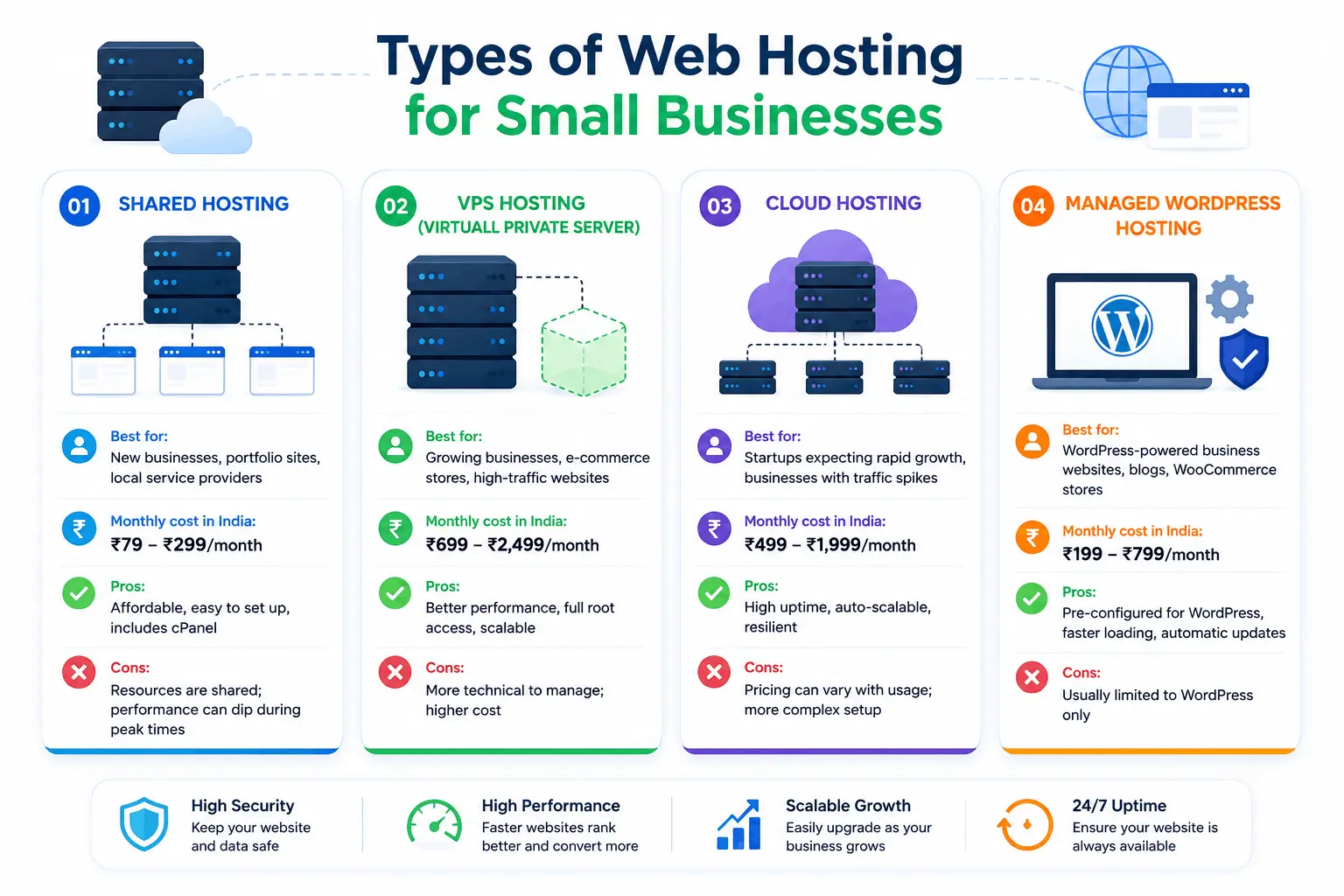
Shared Hosting
Shared hosting means your website shares a server with hundreds (sometimes thousands) of other websites. It’s the most affordable option, making it ideal for new businesses, bloggers, and small websites with moderate traffic.
Best for: New businesses, portfolio sites, local service providers
Monthly cost in India: ₹79–₹299/month
Pros: Affordable, easy to set up, includes cPanel
Cons: Resources are shared; performance can dip during peak times
VPS Hosting (Virtual Private Server)
VPS hosting gives you a dedicated slice of a physical server. Your resources (CPU, RAM, storage) are isolated from other users, so your site’s performance isn’t affected by your neighbours.
Best for: Growing businesses, e-commerce stores, high-traffic websites
Monthly cost in India: ₹699–₹2,499/month
Pros: Better performance, full root access, scalable
Cons: More technical to manage; higher cost
Cloud Hosting
Cloud hosting distributes your website across multiple servers in a network (“the cloud”). If one server has an issue, another takes over automatically — offering excellent uptime and scalability.
Best for: Startups expecting rapid growth, businesses with traffic spikes
Monthly cost in India: ₹499–₹1,999/month
Pros: High uptime, auto-scalable, resilient
Cons: Pricing can vary with usage; more complex setup
Managed WordPress Hosting
This is hosting specifically optimised for WordPress websites. The provider handles updates, security patches, caching, and performance tuning — so you focus on your business, not server management.
Best for: WordPress-powered business websites, blogs, WooCommerce stores
Monthly cost in India: ₹199–₹799/month
Pros: Pre-configured for WordPress, faster loading, automatic updates
Cons: Usually limited to WordPress only
Shared Hosting vs VPS Hosting vs Cloud Hosting
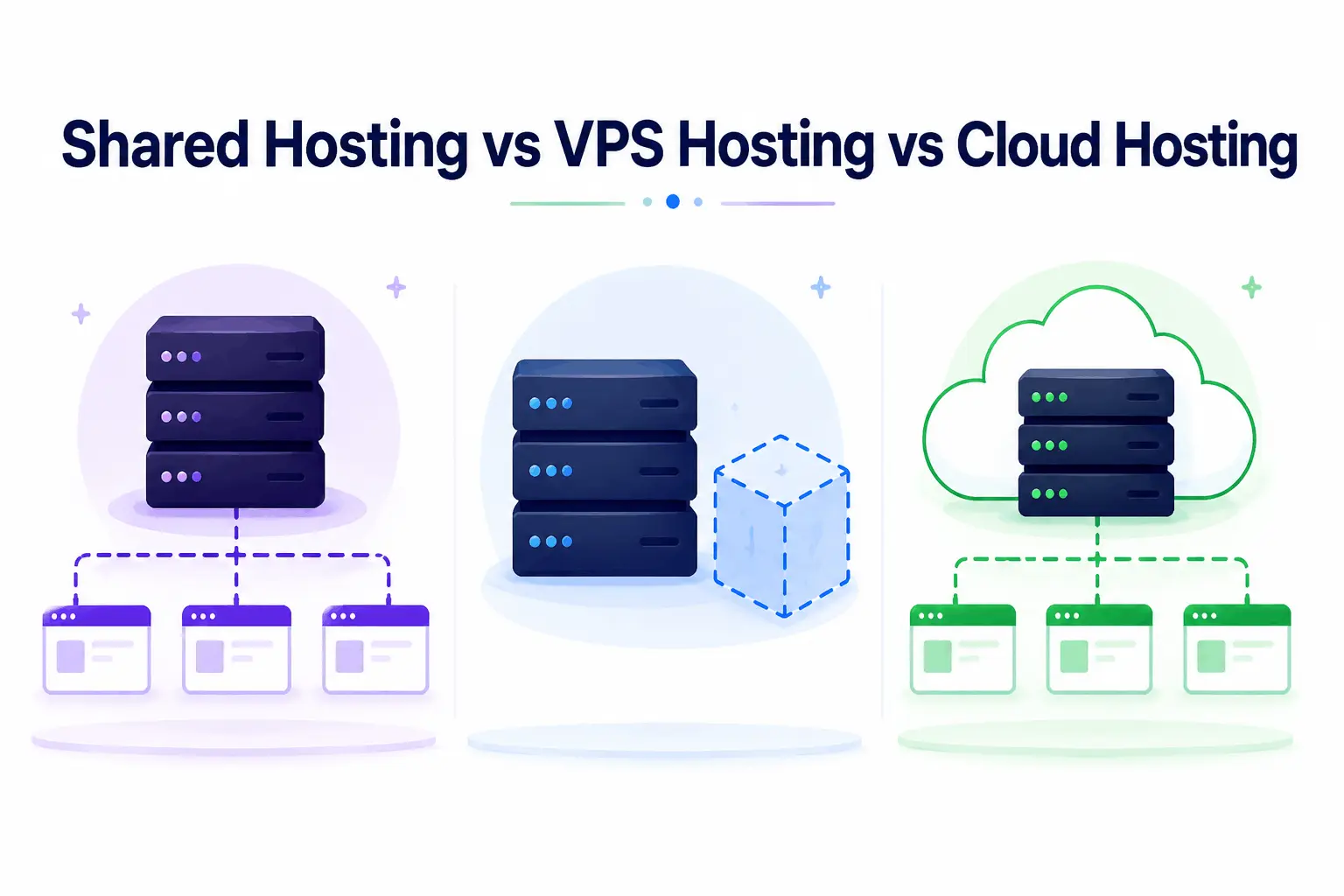
| Feature | Shared Hosting | VPS Hosting | Cloud Hosting |
|---|---|---|---|
| Price (India) | ₹79–₹299/mo | ₹699–₹2,499/mo | ₹499–₹1,999/mo |
| Performance | Basic | High | Very High |
| Scalability | Limited | Manual | Automatic |
| Security | Shared | Isolated | Distributed |
| Best For | New websites | Growing businesses | High-traffic & startups |
| Technical Skill | Beginner | Intermediate | Intermediate |
| Uptime | ~99.5% | ~99.9% | ~99.99% |
Important Features to Check Before Buying Hosting
Not all hosting plans are equal. Here are the key features to look for when evaluating any hosting provider in India.

Website Speed & SEO
Speed is not just a user experience issue — it’s an SEO ranking factor. Google rewards fast websites with better positions on the search results page.
Look for:
- NVMe SSD storage – Up to 7x faster than traditional HDD or even standard SSD
LiteSpeed web server – Outperforms Apache and Nginx significantly on WordPress sites. - Built-in CDN (Content Delivery Network) – Serves your site from data centres closest to your visitors.
- HTTP/3 support – The latest web protocol for faster page delivery
Free SSL Certificate
An SSL certificate encrypts data between your website and visitors. It’s what makes your URL show https:// instead of http://. Google marks non-SSL sites as “Not Secure” — which instantly destroys trust.
In 2026, every hosting plan worth your money should include a free SSL certificate (usually via Let’s Encrypt). Never pay extra for basic SSL.
Daily Backup
Data loss can happen — a plugin update gone wrong, a server failure, or a hacking attempt. Daily backups are your safety net.
Look for hosting that offers automated daily backups with one-click restore. Some providers only offer weekly backups on basic plans — verify before purchasing.
Malware Protection
- Real-time malware scanning
- Automatic malware removal
- Brute force attack protection
- Web Application Firewall (WAF)
- DDoS protection
Business Email Hosting
Uptime Guarantee
Uptime is the percentage of time your website is actually accessible. A 99.9% uptime guarantee means less than 9 hours of downtime per year. Anything below 99.5% is unacceptable for a business website.
Always read the fine print on uptime SLAs and whether the provider offers compensation if they miss the guarantee.
Customer Support
When something breaks — and eventually something will — you need fast, reliable support. Look for:
- 24/7 live chat or phone support
- India-based support team (for language and timezone convenience)
- Knowledgeable agents who can actually help (not just read scripts)
- Response time under 5 minutes for live chat
How Hosting Affects SEO Rankings
Core Web Vitals are a set of performance metrics Google uses to evaluate user experience. They include:
- LCP (Largest Contentful Paint): How quickly the main content loads (should be under 2.5 seconds)
- FID / INP (First Input Delay / Interaction to Next Paint): How responsive your site is to user interactions
- CLS (Cumulative Layout Shift): Whether elements shift around as the page loads
All three metrics are directly impacted by your hosting speed. A slow server means poor Core Web Vitals scores, which means lower rankings.
Server response time (TTFB) is another key metric. A hosting provider with servers in or near India will deliver significantly faster TTFB for Indian visitors compared to a provider with servers only in the US or Europe.
Uptime also matters for SEO. If Googlebot tries to crawl your website when it’s down, that can negatively affect your crawl budget and indexing. Consistent uptime ensures your pages get indexed regularly.
Best Hosting for WordPress Websites
WordPress powers over 43% of all websites on the internet — and a large share of Indian business websites. Here’s what to look for in a WordPress hosting plan in India:
- One-click WordPress installation via cPanel or auto-installer
- LiteSpeed caching or built-in WordPress caching support
- PHP 8.x support (required for modern WordPress and WooCommerce)
- Pre-installed SSL and CDN
- Staging environment (so you can test changes before pushing them live)
- WooCommerce compatibility if you plan to sell products
- Automatic WordPress core updates on managed plans
When comparing WordPress hosting plans in India, focus on server location and storage type (NVMe SSD over standard SSD or HDD) as these have the greatest impact on your site’s loading speed.
Best Hosting for Ecommerce Websites
| Requirement | Why It Matters |
|---|---|
| PCI compliance | Required for handling card payments securely |
| High uptime (99.99%+) | Downtime = lost sales |
| Fast server response | Every 100ms delay reduces conversions |
| Daily backups | Protect order and customer data |
| SSL certificate | Required for payment gateways |
| Scalable resources | Handle traffic spikes during sales/festivals |
| Malware protection | Prevent customer data theft |
| Dedicated IP (optional) | Better email deliverability for order notifications |
Security Features Every Business Website Needs
| Security Feature | What It Does |
|---|---|
| SSL Certificate | Encrypts data in transit between server and browser |
| Web Application Firewall (WAF) | Blocks malicious requests and known attack patterns |
| DDoS Protection | Prevents traffic flood attacks that take your site offline |
| Malware Scanning | Detects infected files before they damage your site |
| Brute Force Protection | Limits login attempts to prevent password guessing |
| Daily Backups | Restores your site if something goes wrong |
| Two-Factor Authentication | Secures your hosting control panel access |
| Hotlink Protection | Prevents other sites from stealing your bandwidth |
How to Choose the Best Hosting Provider
Hosting for Different Business Types
| Business Type | Recommended Hosting | Key Priority |
|---|---|---|
| Local shop / restaurant | Shared Hosting | Affordability, email hosting |
| Freelancer / consultant | Shared or WordPress Hosting | Speed, professional email |
| Startup | Cloud or VPS Hosting | Scalability, uptime |
| E-commerce store | Managed WordPress / VPS | Security, speed, backups |
| Agency / reseller | Reseller Hosting | Multi-site management |
| High-traffic blog | VPS or Cloud Hosting | Performance, CDN |
Why Indian Businesses Prefer Local Hosting
Why Tech Guru Club is a Good Choice for Indian Small Businesses
Here’s what sets Tech Guru Club apart:
- NVMe SSD storage on all plans for maximum speed
- LiteSpeed web server pre-configured for WordPress performance
- Free SSL certificate included with every hosting plan
- Daily automated backups with one-click restore
- Tech Guru Club offers affordable hosting for students with free hosting panel access at just ₹199/year.99.8% uptime guarantee backed by reliable Indian infrastructure
- 24/7 customer support from a team that understands Indian businesses
- One-click WordPress installation for quick and easy setup
- Affordable pricing in INR with GST invoicing
- Free website migration if you’re moving from another provide


